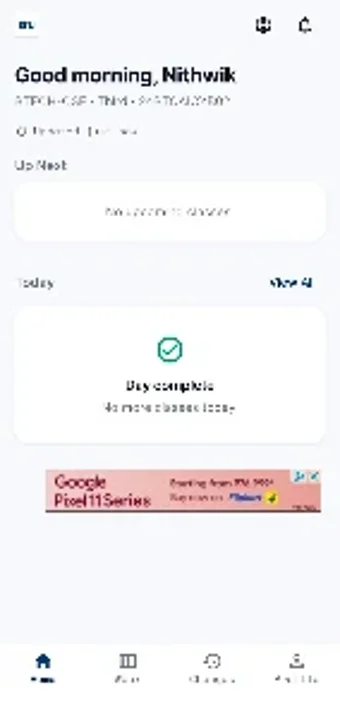
Sru Time Table organizes SRU class schedules and sends reminders
Shows daily and weekly timetables and sends automated reminders before lectures, with visible start and end times for each session. Developed by Kurre Nithwik Reddy for Android, the education-reference app targets SR University students and faculty. It combines an integrated login for personalized schedules, Sraap portal connectivity, and a compact install footprint. The app suits campus users who need fast mobile access to their academic timetable and timely classroom alerts during the semester.
What the app delivers for campus scheduling
Sru Time Table displays both daily and weekly timetable views and lists class start and end timings, so users can scan a day or the full week from a single screen. The app uses an integrated login system to show personalized schedules, and the developer notes fixes for classroom notifications tied to the Sraap portal. That combination keeps each student’s campus timetable available on the device without loading external webpages.
How it supports study routines and punctuality
The app issues automated class notifications and reminders that alert students before lectures, helping learners manage arrival and transition times between sessions. Notifications are presented as scheduled alerts on Android, so students can set or receive reminders without opening the app. For learners who track attendance or build study blocks around classes, the alert mechanism reduces manual checking of timetables during a busy day.
Who it’s appropriate for and accessibility constraints
Sru Time Table is designed specifically for SR University students and faculty and runs on Android devices only, which defines its primary audience clearly. The installer size is about 23 MB, which makes installation quick on most devices. As an independent student-led project, the app focuses on campus needs rather than serving broader curricula or institution-wide integrations.
How it connects to campus systems and adapts schedules
The app includes connectivity with the Sraap portal and notes classroom notification fixes, which helps align the timetable with the campus academic portal data. Users log in to access personalized schedules, so the app adapts display content per account. Customization centers on selecting the appropriate account and viewing daily or weekly layouts rather than on adding external course materials.
Clear campus timetable tool for SRU students, with a focused scope
Sru Time Table serves SRU learners who need a compact, campus-focused timetable app on Android. It targets quick schedule access and mobile alerts for classroom attendance, but it does not replace full-featured learning management systems or tools that track grades and assignments. Tip: use it alongside course pages or instructor calendars to centralize daily planning during term time.